
KI-generiertes HTML, CSS, JSON und Base64 vor der Veröffentlichung prüfen
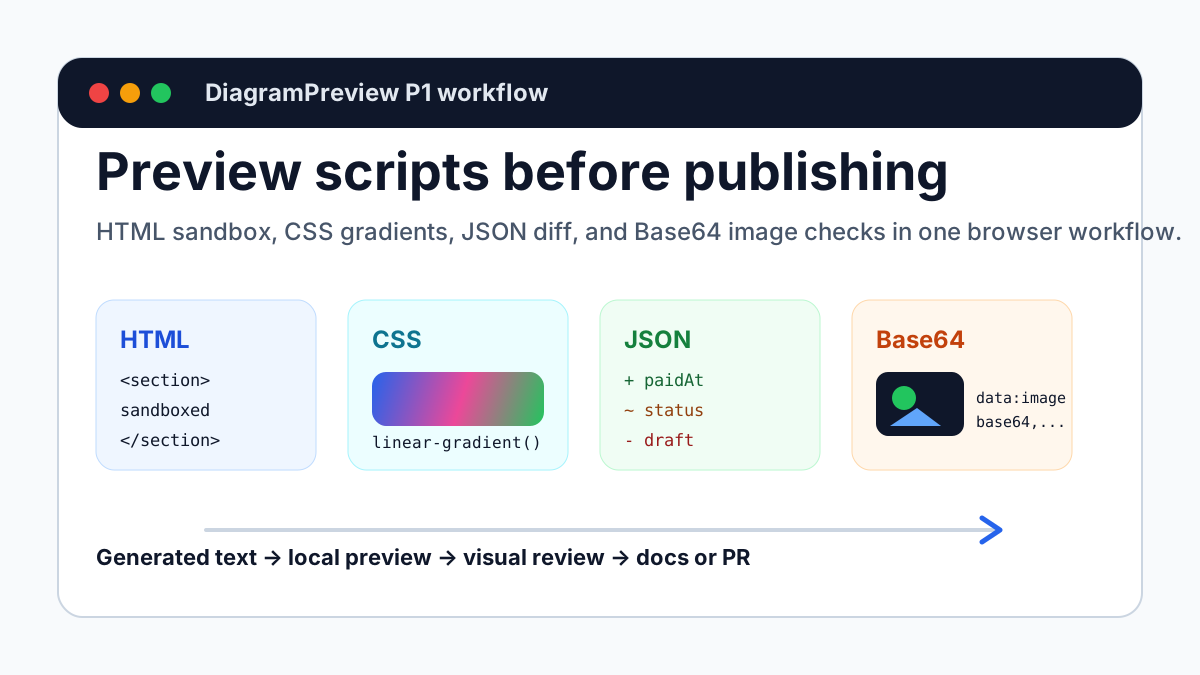
A practical developer workflow for previewing AI-generated HTML, CSS, JSON, Base64, cURL, URL query, shadow, and color snippets before they reach docs, issues, blogs, or production examples.
Why these tools belong together
Modern documentation and frontend snippets often come from AI output, browser consoles, API responses, copied config, or generated assets. Text can look correct while the rendered layout, JSON change, or embedded image is still wrong.
This P1 batch focuses on the step after generation and before publishing: turn scripts, snippets, and visual source into something you can inspect.
Demo 1: Put HTML snippets in a sandbox first
AI-generated landing sections, email templates, and component snippets often fail through overflow, broken mobile layout, invalid tags, or unsafe scripts. HTML Preview Sandbox renders the snippet in a script-blocked iframe.
It is not a full replacement for browser testing, but it is a very fast review surface before publishing README examples, support docs, or marketing posts.
<section style="max-width:720px;padding:48px;border-radius:24px;background:white">
  <p style="font-weight:700;color:#2563eb">Preview before publish</p>
  <h1>Debug generated HTML without leaving the browser</h1>
  <p>Paste a component, email block, or landing section.</p>
</section>Demo 2: CSS gradients need visual inspection
Gradient strings are hard to review as text. Direction, contrast, transparency, and color stops only become obvious after rendering. CSS Gradient Preview extracts gradients and shows swatches for hero sections, buttons, social cards, and screenshot backgrounds.
When AI generates visual CSS, preview the background instead of trusting the string.
background:
  radial-gradient(circle at 20% 20%, rgba(34,197,94,.55), transparent 30%),
  radial-gradient(circle at 80% 10%, rgba(37,99,235,.55), transparent 32%),
linear-gradient(135deg, #f8fafc, #e0f2fe);Demo 3: JSON Diff beats manual comparison
API responses, config files, and package dependency changes should be diffed before they are documented. After an AI edit, added fields, removed fields, and array changes are easy to miss.
JSON Diff Viewer separates the before and after payloads with --- and reports added, removed, and changed paths.
{
  "status": "draft",
  "total": 19.9
}
---
{
  "status": "paid",
  "total": 39.8,
  "paidAt": "2026-06-17T08:00:00Z"
}Demo 4: Base64 images are convenient, not always healthy
Base64 images often appear inside SVG, email templates, JSON config, and Open Graph drafts. They are easy to copy, but they make files larger, caching weaker, and code review harder.
Base64 Image Preview confirms whether the image renders, whether the MIME type looks right, and whether the encoded size is too large.
data:image/svg+xml;base64,PHN2ZyB4bWxucz0i...Demo 5: cURL and URL parameters deserve a preview too
Many API issues are not backend bugs. They come from request commands, headers, query parameters, or encoding. cURL Command Parser breaks a command into method, URL, headers, and body; URL Query Parser is useful for UTM fields, search parameters, and encoded redirects.
This is practical for tickets and support replies: paste the original command and the parsed screenshot so teammates do not have to guess what the request looked like.
curl -X POST https://api.example.com/orders?debug=true \
  -H "Authorization: Bearer demo-token" \
  -H "Content-Type: application/json" \
--data-raw '{"sku":"A1","qty":2}'Demo 6: Visual CSS needs review screenshots
Shadows and colors are often treated as small finishing touches, but they directly affect perceived quality, readability, and social screenshots. CSS Box Shadow Preview renders layered shadows on cards, while Color Palette Preview checks color tokens and adjacent contrast.
If AI generates a theme or card style, do not copy the CSS blindly. Render the visual output first, then decide whether it belongs in the site.
--color-primary: #2563eb;
--color-accent: #22c55e;
--color-ink: #0f172a;

.card {
  box-shadow: 0 18px 45px rgba(15, 23, 42, 0.14);
}A practical publishing checklist
Preview HTML structure first, inspect CSS gradient output, diff JSON payload changes, then check embedded Base64 images.
If the snippet came from AI, put both the source and the preview screenshot in the PR or documentation draft so teammates can review and reproduce the result.